

What is Elementor?
Elementor is a visual builder for WordPress that lets you design web pages easily and without coding. With an intuitive interface, you can drag and drop elements (such as text, images, or buttons) to create custom designs in real time.
How do I use Elementor?
-
Install it as a plugin in WordPress.
-
Open a page editor and activate “Edit with Elementor” mode.
-
Choose templates or start from scratch, adding blocks and adjusting styles.
What is Elementor used for?
Ideal for beginners and professionals alike, it helps you create beautiful, fast, and mobile-responsive sites without touching any code. Design like a pro! 🚀
Elementor left panel not loading. Here’s the simple solution.
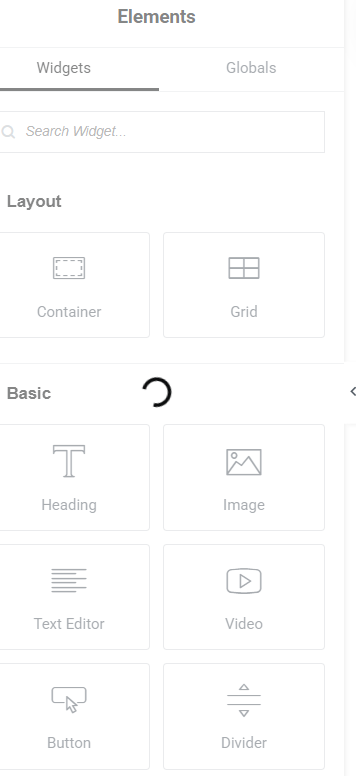
Here we offer the simplest solution when Elementor doesn’t load the left sidebar.
- Edit the page where you want to make changes with Elementor.
- Once on the desired page, the loading symbol does not stop on the left side panel.
- We then locate the configuration icon at the top of said panel.
- We click on the configuration icon and wait for it to load.
- Once the configuration is loaded, we close the configuration window.
- When you exit this window, all the components in the left side panel will be available and usable.
Note: you can watch the video on YouTube.
https://www.youtube.com/watch?v=z9JDbiI4PAQ






No comment