



Refusing responsibility: This leader is only for educational purposes. The activation of Microsoft software without actual licenses violates Microsoft service conditions. Always support programmers by buying real licenses. Continue your own risk.
Microsoft Activation Scripts (MAS)
What are Microsoft activation scenarios?
Why Use MAS?
- 100% free & open-source (auditable code).
- No malware or bloatware.
- Works offline after activation.
- Supports Windows 7 through 11 and Office suites.
Prerequisites
1. Download MAS Safely:
Only get MAS from the official GitHub repository . Avoid third-party sites!
2. Disable Antivirus:
Temporarily turn off Windows Defender or third-party AV (re-enable after activation).
3. Run as Administrator:
MAS needs elevated permissions to modify system files.
Step-by-Step Activation Guide
Step 1: Download MAS
- Go to the [MAS GitHub page].
- Click `Code` → `Download ZIP`.
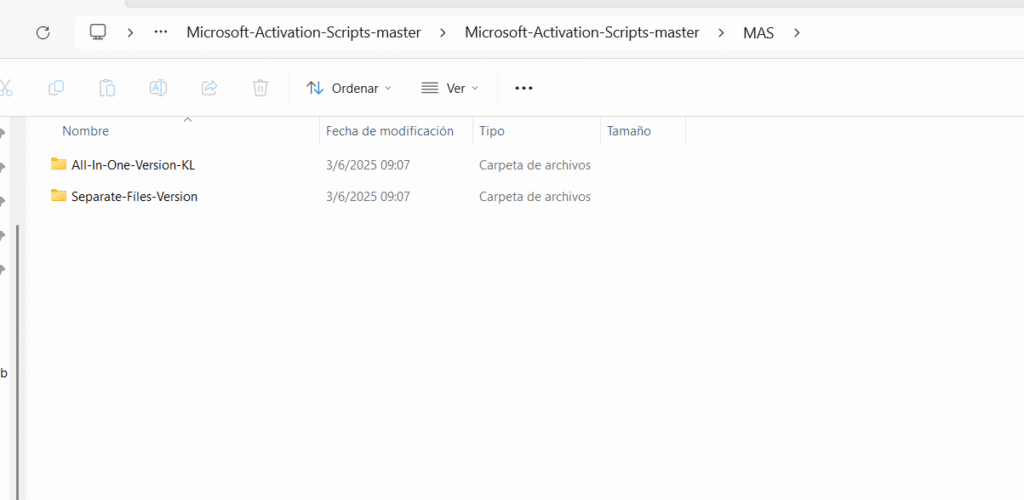
- Extract the ZIP file (right-click → Extract All).
Step 2: Run the Script
- Open the extracted folder.
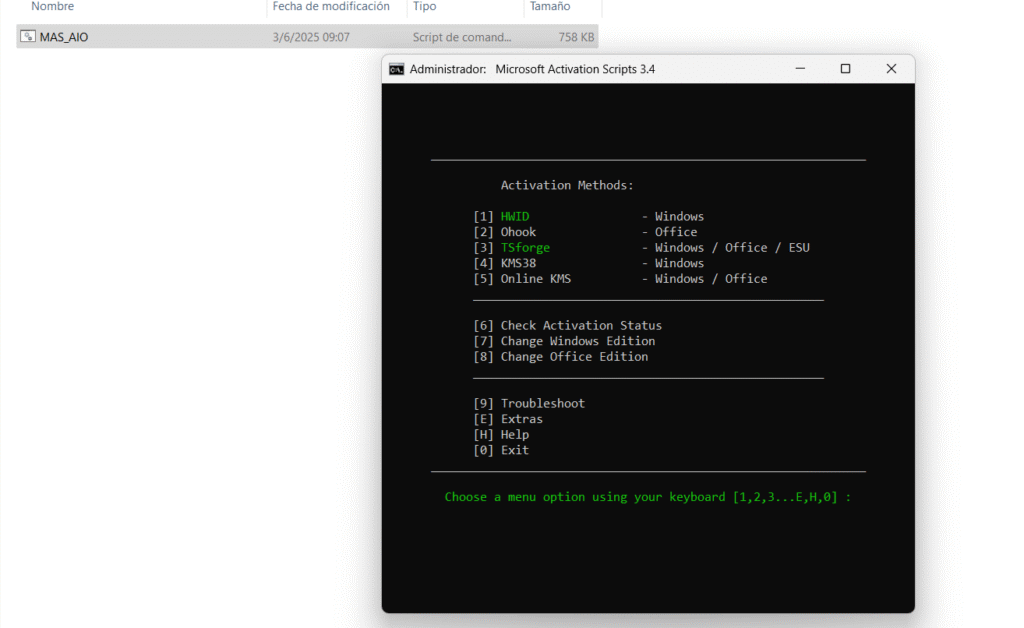
- Right-click `MAS AIO` → `Run as administrator`.
- If blocked by Windows SmartScreen:
– Click More info → Run anyway.
Step 3: Choose Activation Mode
A command prompt window appears with activation options:
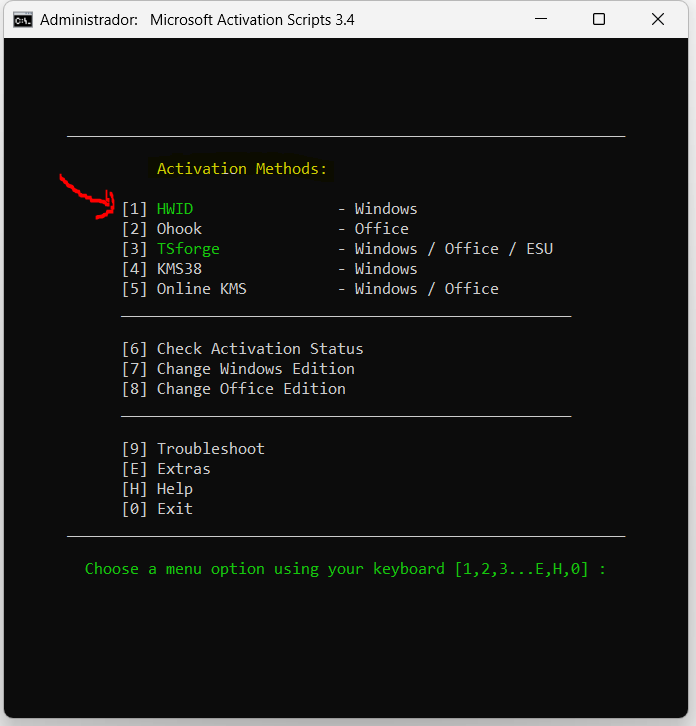
– Option 1: Activate Windows
– Press `1` → Enter
– Choose:
– `HWID` (Recommended for Win 10/11): Permanent activation.
– `KMS38`: Activates until 2038 (good for enterprise editions).
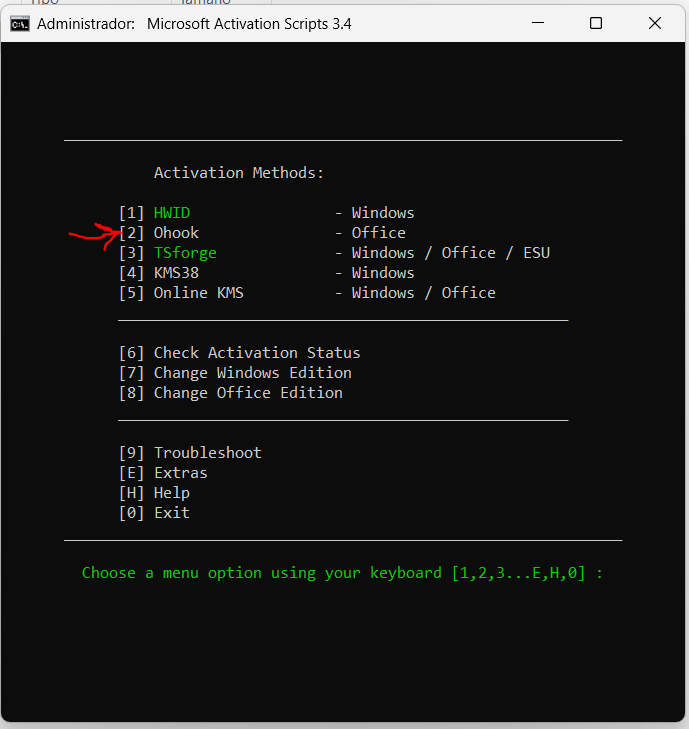
– Option 2: Activate Office
– Press `2` → Enter.
– MAS auto-detects installed Office versions.
Step 4: Complete Activation
– Wait 10-60 seconds. You’ll see:
Product successfully activated!
– Press `0` to exit.
– Restart your PC to apply changes.
Step 5: Verify Activation
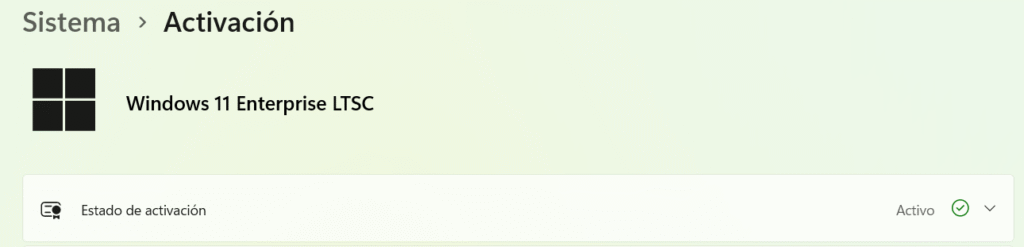
– Windows:
Go to `Settings` → `System` → `About`. Under Windows specifications, see “Activated.”
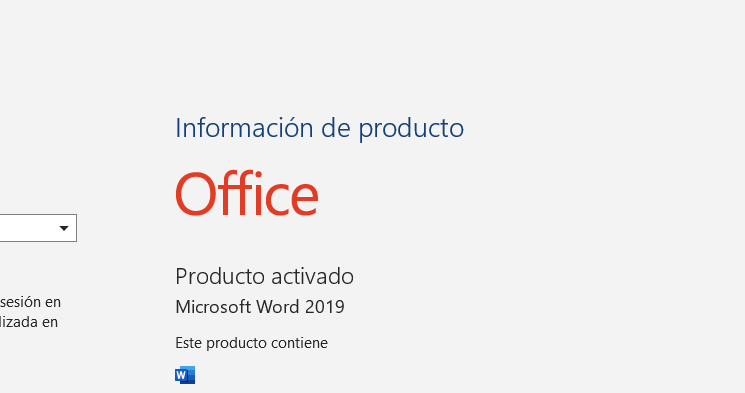
– Office:
Open Word/Excel → `File` → `Account`. It should say “Product Activated.”
Troubleshooting Tips
– Antivirus Blocking MAS?
Add the MAS folder to your AV’s exclusion list before running.
– Activation Failed?
Ensure you ran MAS as admin. Try re-running and select `Check Activation Status` first.
– Office Not Detected?
Install the [Microsoft Office C2R Runtime](https://aka.ms/officec2r) first.
Alternatives to MAS
Prefer legitimate methods? Here are safe options:
Buy a License:
Get genuine keys from Microsoft Store or retailers.
- Use Free Alternatives:
– Windows: Try Linux (e.g., Ubuntu).
– Office: Use LibreOffice or Microsoft 365’s free web apps.
Educational Licenses:
Students often get free Windows/Office via schools.
Final Thoughts
While MAS offers a quick fix for activation, purchasing a license ensures security updates and compliance. Unlicensed software risks malware, data theft, and legal issues. Use MAS responsibly for evaluation only!
No comment